
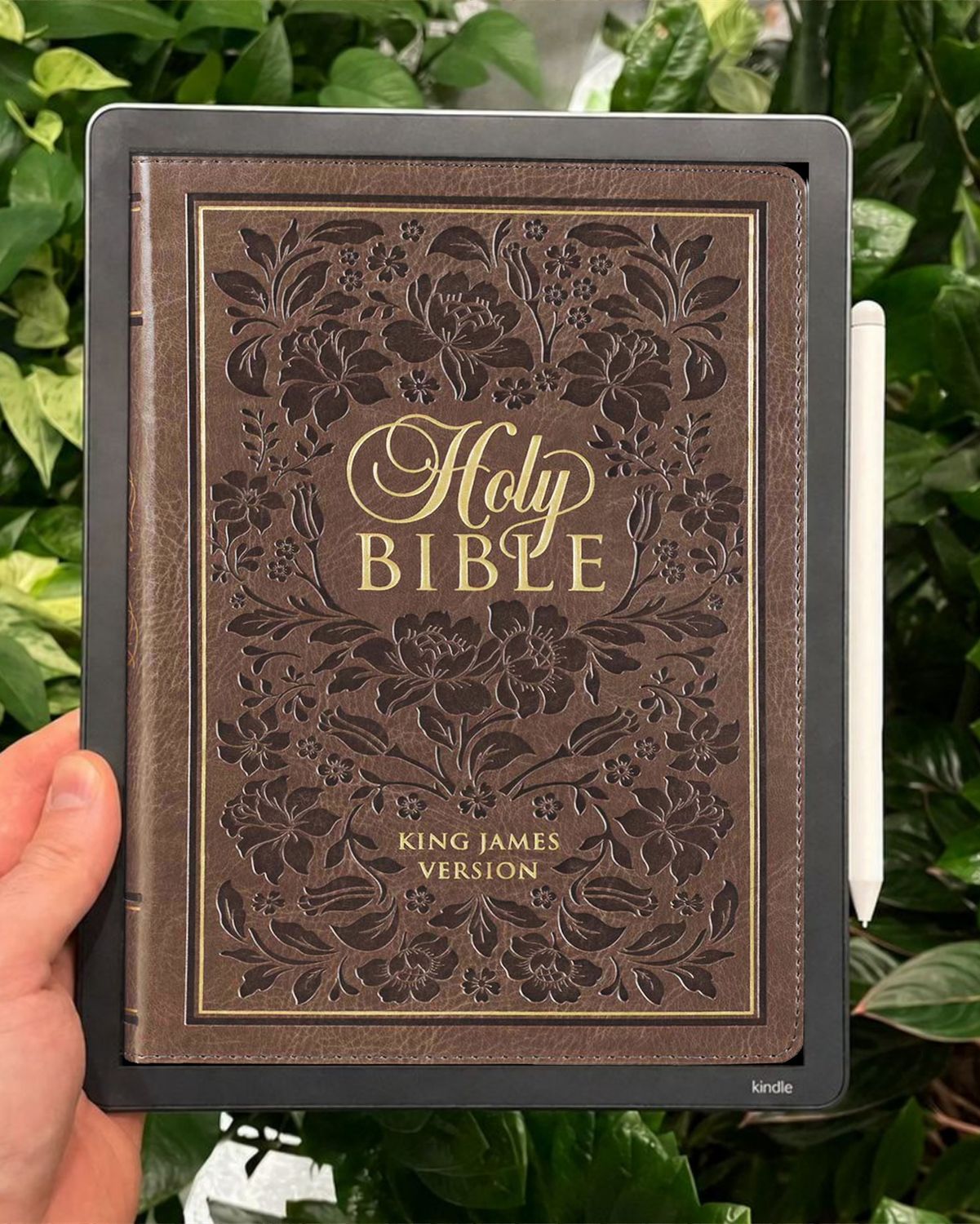
King James Bible KJV for Kindle Scribe Colorsoft devices.
Enjoy the DIGITAL King James Bible KJV BIBLE PDF. Load to Kindle Scribe for quick, hyperlinked navigation of King James Bible Books and Chapters. The King James Version Bible works on the Kindle Scribe Colorsoft.
Review from a customer, Emily... "I ordered this Bible for my Kindle Scribe. The text is very clear and readable, with space in the margins for small notes. Words of Christ are in bold print. What I love about this particular Bible is the easy navigation. I had purchased a different Bible for my Kindle, but I didn't get used to the navigation. With this Bible, navigation is very clear from any page you're on. Thank you for a wonderful Bible!"
- King James Bible.
- Jesus' WORDS are in RED & BOLD text.
- Fully hyperlinked and simple navigation.
- Vertical layout view.
- Beautiful, simple, and easy-to-use layout.
- Fully copyright-free.
- Lots of space around text for writing notes.
- Easily Highlight Sections of Scripture.
- There are 2070 pages.
- You get 1 PDF High Quality 12MB of the KJV BIBLE.
*Device in picture not included.
HOW TO USE:
Tap/Click on the Bible cover to enter the KJV Bible into the main Index. Tap/Click on the desired Bible Book, and you will go directly to that Bible Book. Then Tap/Click on the Chapter number and start reading. EXTRA EASY NAVIGATION: If you Tap/Click on the Chapter Title, you'll go to the Chapter Index. Underneath every Chapter title is < BIBLE BOOKS INDEX > that links back to the main Bible Index/Bible cover (Tap/Click again).
BACKGROUND... I initially created the "KJV Bible PDF" for my friend who loves the King James Version. He wanted it for his e-Ink device to write notes and highlight scriptures. So I made it for him, and now many people have enjoyed its simplicity, and I hope you enjoy it too.
Making "The KJV Bible - Linked PDF" for Kindle Scribe Colorsoft has been a joy for me. The fully linked KJV Bible has been made from real-world experience and use.
I look forward to your thoughts. If you need any help, please reach out to me.
Kindest regards and many blessings,
Eric
HOW TO IMPORT PDF TO KINDLE SCRIBE COLORSOFT
1. Purchase the high-quality KJV Bible - Linked PDF.
2. Download.
3. Upload the KJV Bible to your Kindle library using “Send to Kindle” (https://www.amazon.com/sendtokindle)
4. The KJV Bible will now be visible in your Kindle library.
5. Select the KJV Bible - Linked PDF file from your Kindle Scribe Colorsoft home screen and open it to begin reading.
TERMS OF USE:
Purchase of this file entitles the purchaser to use this file for non-commercial use only. This file CAN be shared and reproduced for friends and Bible Study Groups - BUT NOT SOLD. Due to the digital nature of this product, all purchases are non-refundable.